Organising My Paints with Paint Weaver
My paints are mostly from the Two Thin Coats (TTC) range, but like a lot of people, I started out with the Games Workshop (GW) paint range. Many tutorials use GW paints, so when I'm following a recipe, I need to know which of my TTC paints is the equivalent. For example, GW's Khorne Red is Asmodeus Red in TTC.
Paint Weaver turns tutorials into step-by-step recipes and matches the paints against my collection, so I can see which equivalents I already own. But that doesn't help much when I'm actually painting: I'm still looking at a GW paint name and trying to find the corresponding bottle in my drawer.
I decided to label my TTC paints with their GW equivalents. Paint Weaver already has that information, so in October I added an export to get it out of the app. You can find it on the Collection and Wishlist pages. The export is available as CSV or JSON and includes each paint's closest GW equivalent, where one exists.
For printing, I use an inexpensive Nelko P21 label printer that can bind CSV columns to fields in a template. My label template uses 14×40mm labels, with space for the GW equivalent, the TTC triad it belongs to and its place in it (shadow, midtone or highlight). Each row gets its own label, so I printed my whole collection in one go.
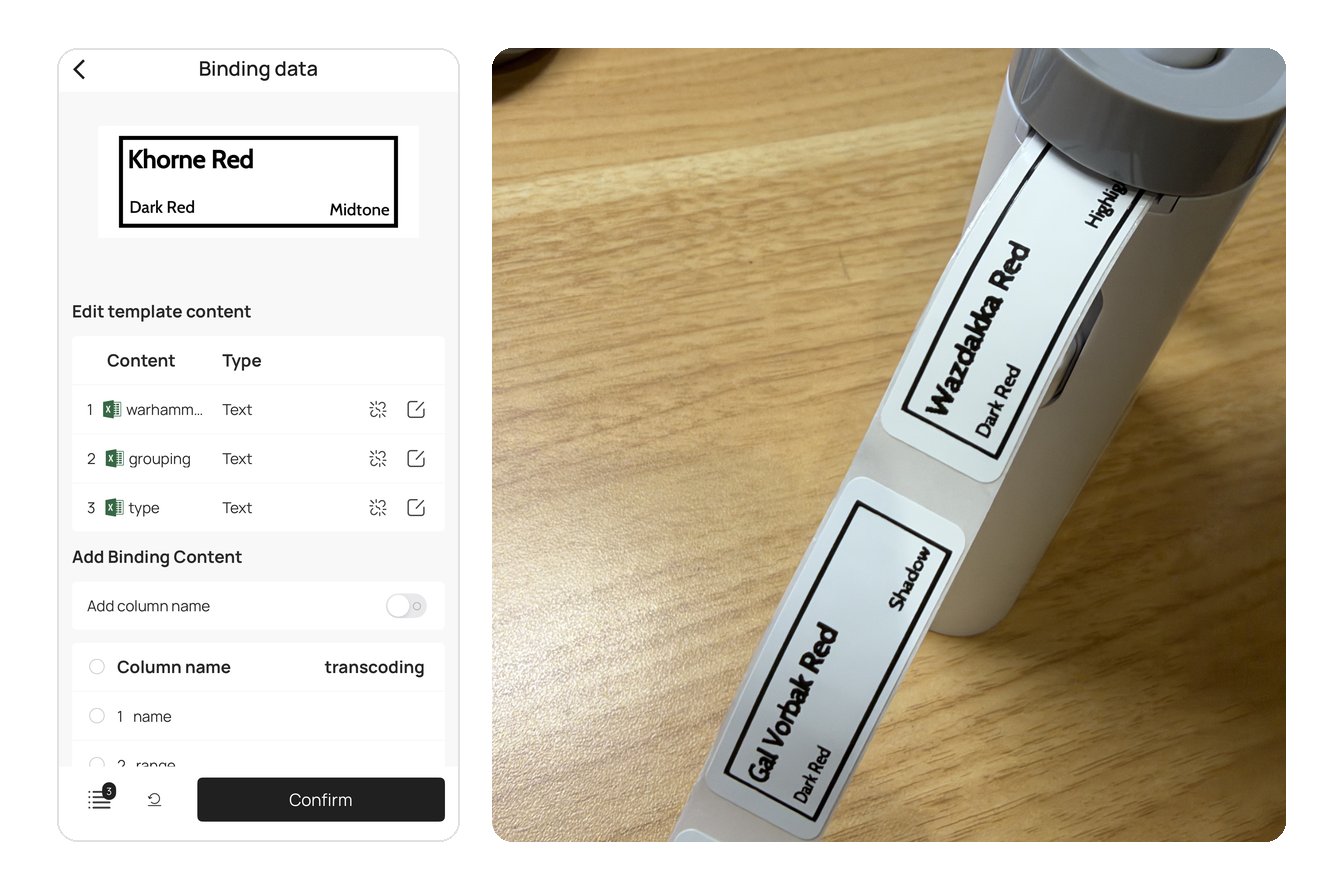
I keep my drawer organised by triad, and now every paint has its GW equivalent clearly displayed, making it much easier to follow tutorials and find what I need.
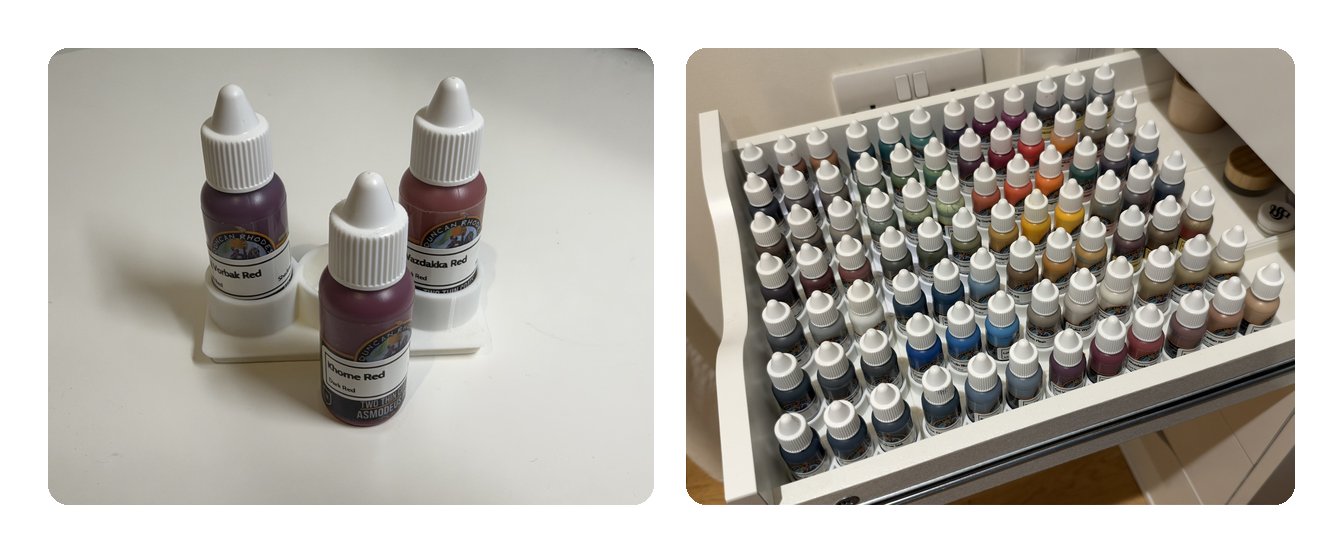
The holders in the photos above are 1×2 Gridfinity bins I designed for TTC paints. You can download the STL if you'd like to print your own.