Introducing Run, Weaver
I've just launched my first iPhone app. It's called Run, Weaver, and it's free on the App Store.
I built it for my own running, to visualise the runs I've recorded with my Apple Watch, track my weight, compare this year with last and keep my race results in one place.
What it does
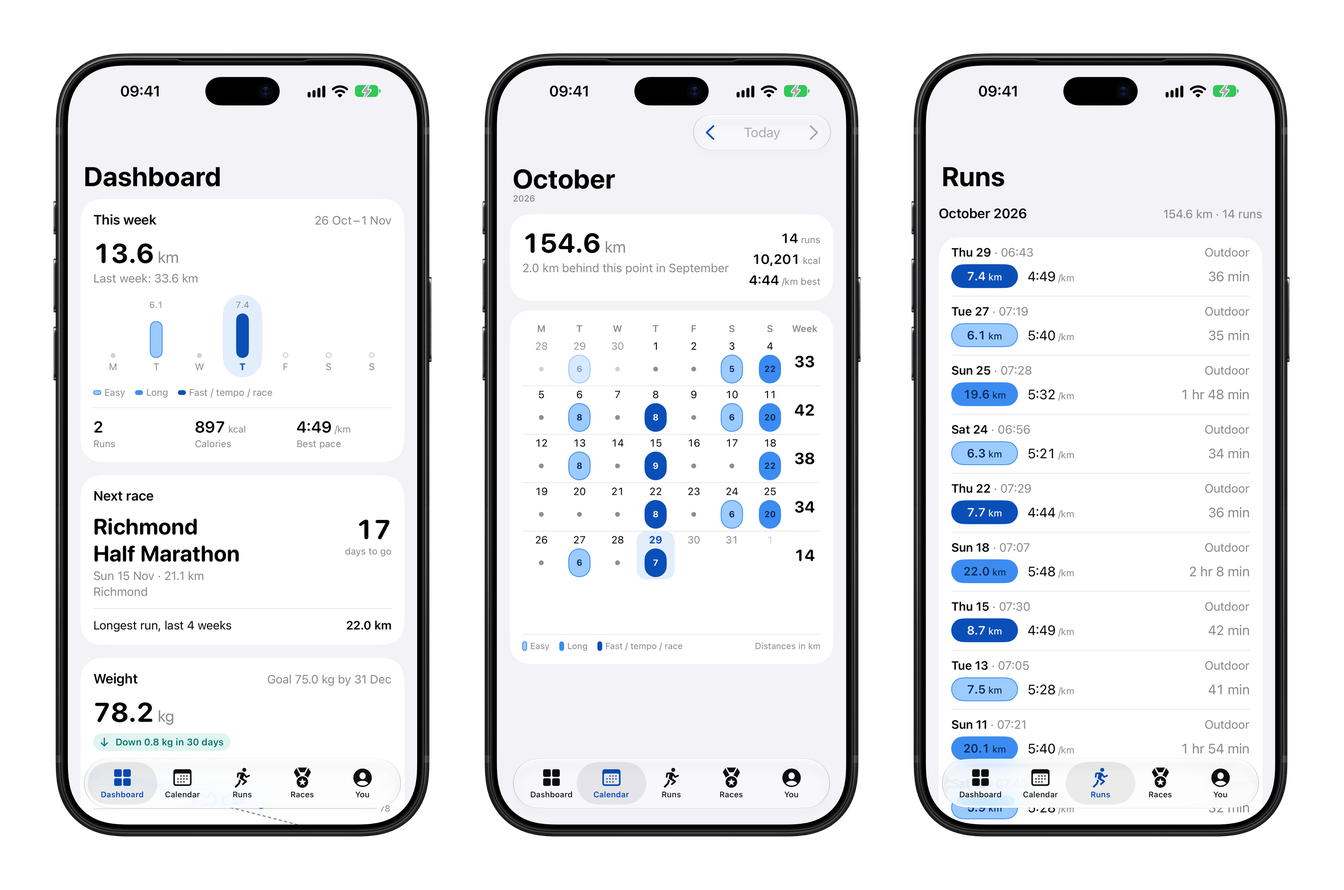
The app opens on a dashboard that shows how far you've run this week and this year, with a chart against last year. If you've set a weight target, it shows how you're getting on, and if you've added a race, it counts down to it.
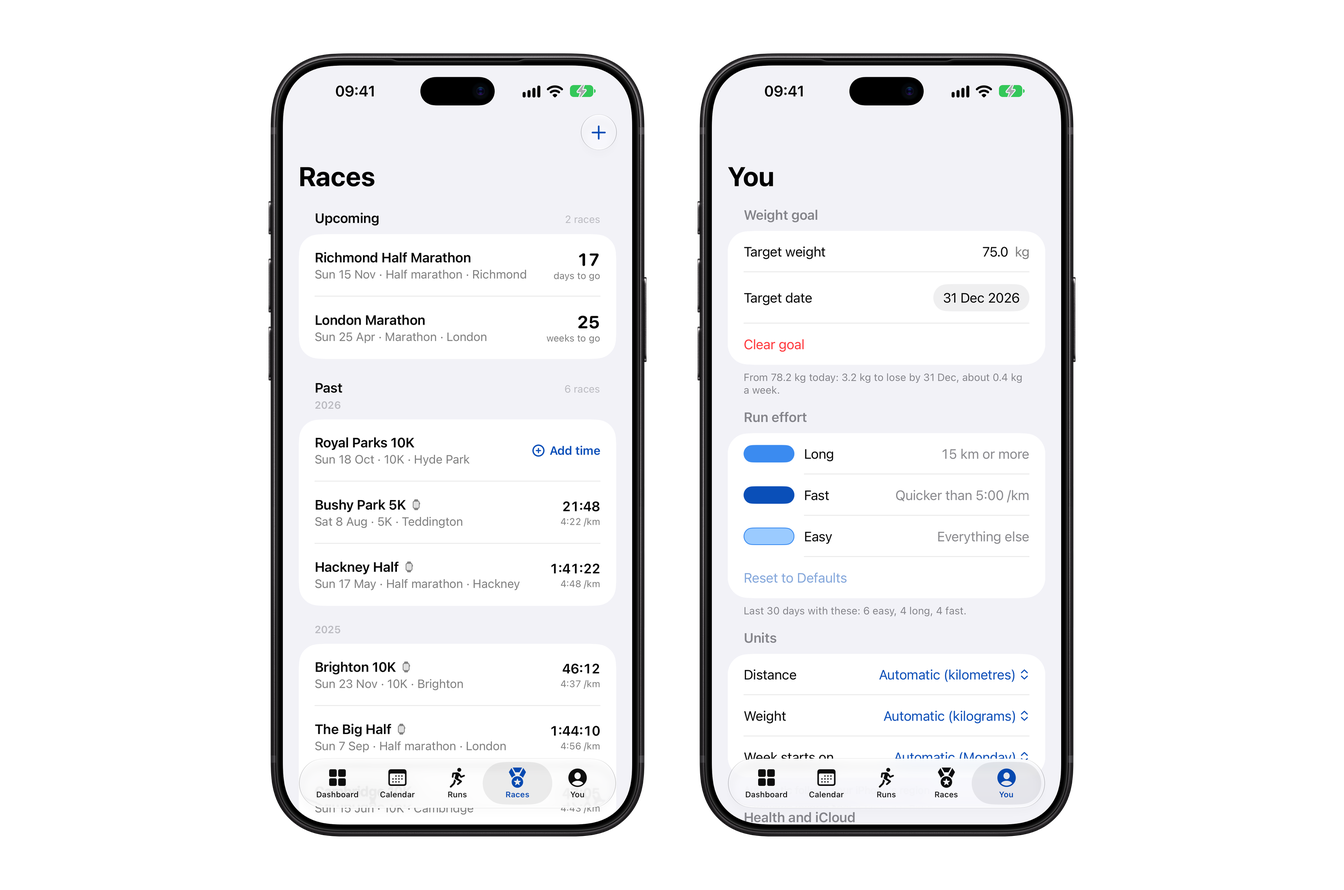
There's also a calendar that colours each run by effort (easy, long or fast), and a list of all your runs. You can specify what counts as a long or a fast run, something I've found motivating after returning from injury. The app picks up any run saved to Apple Health, which is where the Apple Watch and apps like Strava and Runna save them.
You can add races you've entered to count down to them, and keep your official times afterwards.
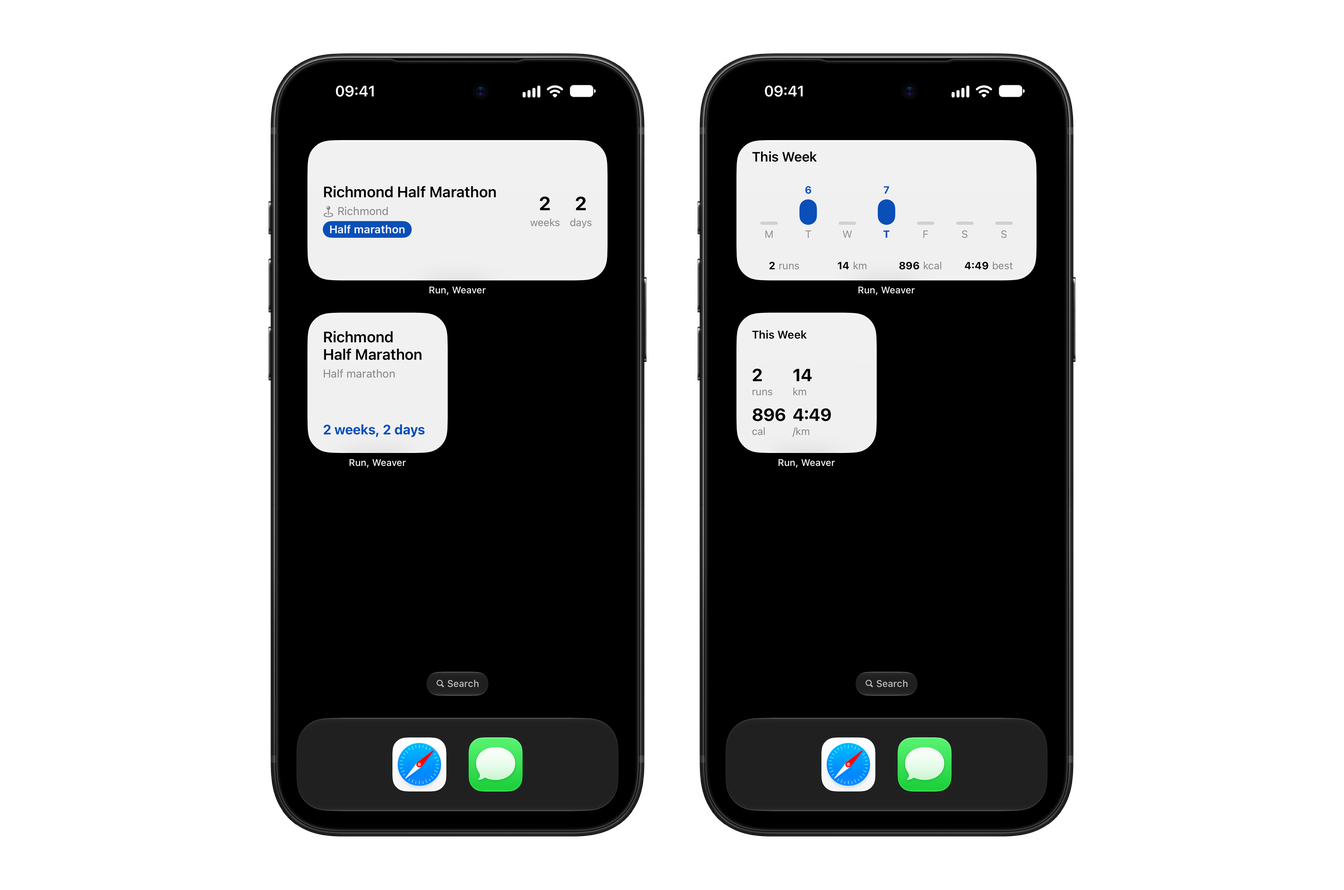
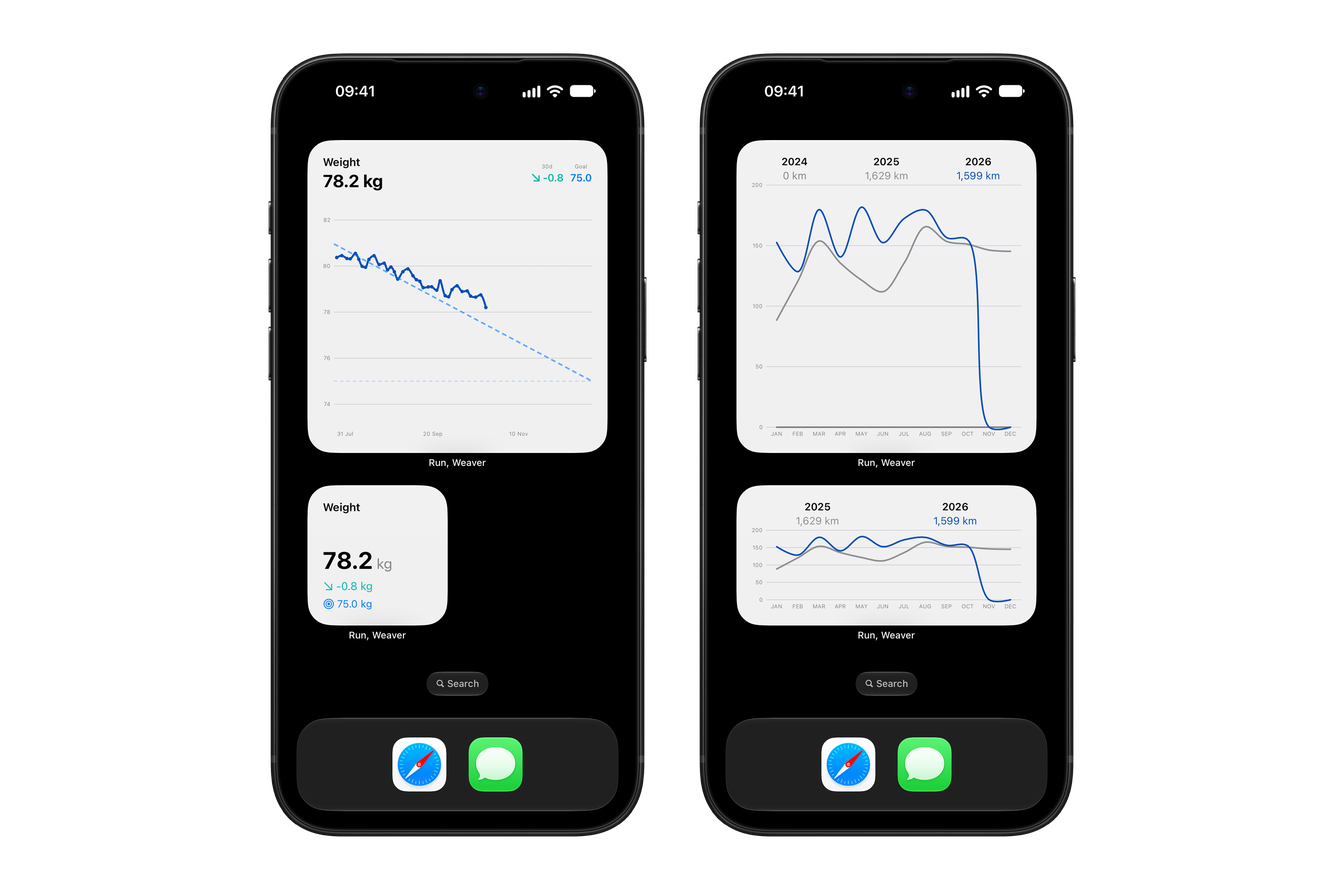
The part I'm most pleased with is the widgets. So far there are four for the Home Screen: Next Race, Weekly Stats, Year Comparison and Weight, in various sizes. They keep my running in front of me without nagging.
Why I built it
I've been running for about six years. Whenever I've tried to get more serious, either with a plan from the internet or a training app like Runna, I've ended up injured, and I've missed races I'd entered because of it. I'd keep going to stick to the plan when what I really needed was a week off, and then feel guilty about the runs I'd missed.
I record my runs on my Apple Watch, which saves them to Apple Health, but I never found a way to visualise them that helped me. I wanted to see what I'd actually done instead, so I could spot when I was doing too much and take a week off without feeling bad about it. I'm never going to be a fast runner, but I do like getting older and beating my younger self, so the app only ever compares me with myself, whether that's last week or last year.
I track my weight in the app too. Running is how I stay in shape, and it's motivating to see the two side by side. The name is an instruction to myself, comma and all: Run, Weaver. Running is great for my wellbeing, so it's good advice.
How it works
I first wrote Run, Weaver in 2022 to learn SwiftUI, and most of it was written by hand. I used it myself, but I never felt it was good enough for the App Store. Claude Code has let me put in the time to get it to a point where other people might enjoy it too.
It reads your runs and weight from Apple Health using HealthKit, and the races you add are saved with SwiftData and sync through your own iCloud, so I never see any of it.
Because it's a Health app, I wanted to be sure that stays true as the app changes, so there are tests that check the code against the privacy policy. If the app ever starts reading or saving something the policy doesn't mention, the tests fail.
What's next
I plan to do more with running load. The idea is to spot trends and use Apple's on-device AI to surface them in plain English, both to encourage you and to warn you before you overdo it, for example "your running load is up 50% on your three-week average".
I also plan to add a page for each run with splits, a route map and heart rate, widgets for Apple Watch, and weight in stone and pounds (a requirement from my parents!).
Run, Weaver is on the App Store and requires iOS 27 or later. You can find out more at run.jamesweaver.dev. If you give it a try and have any feedback, drop me an email.