Introducing Paint Weaver
Paint Weaver is now live at paint.jamesweaver.dev. I built it for my own miniature painting: a web app that turns YouTube tutorials into step-by-step recipes, matches paints across brands, and helps you manage your paint collection.
What it does
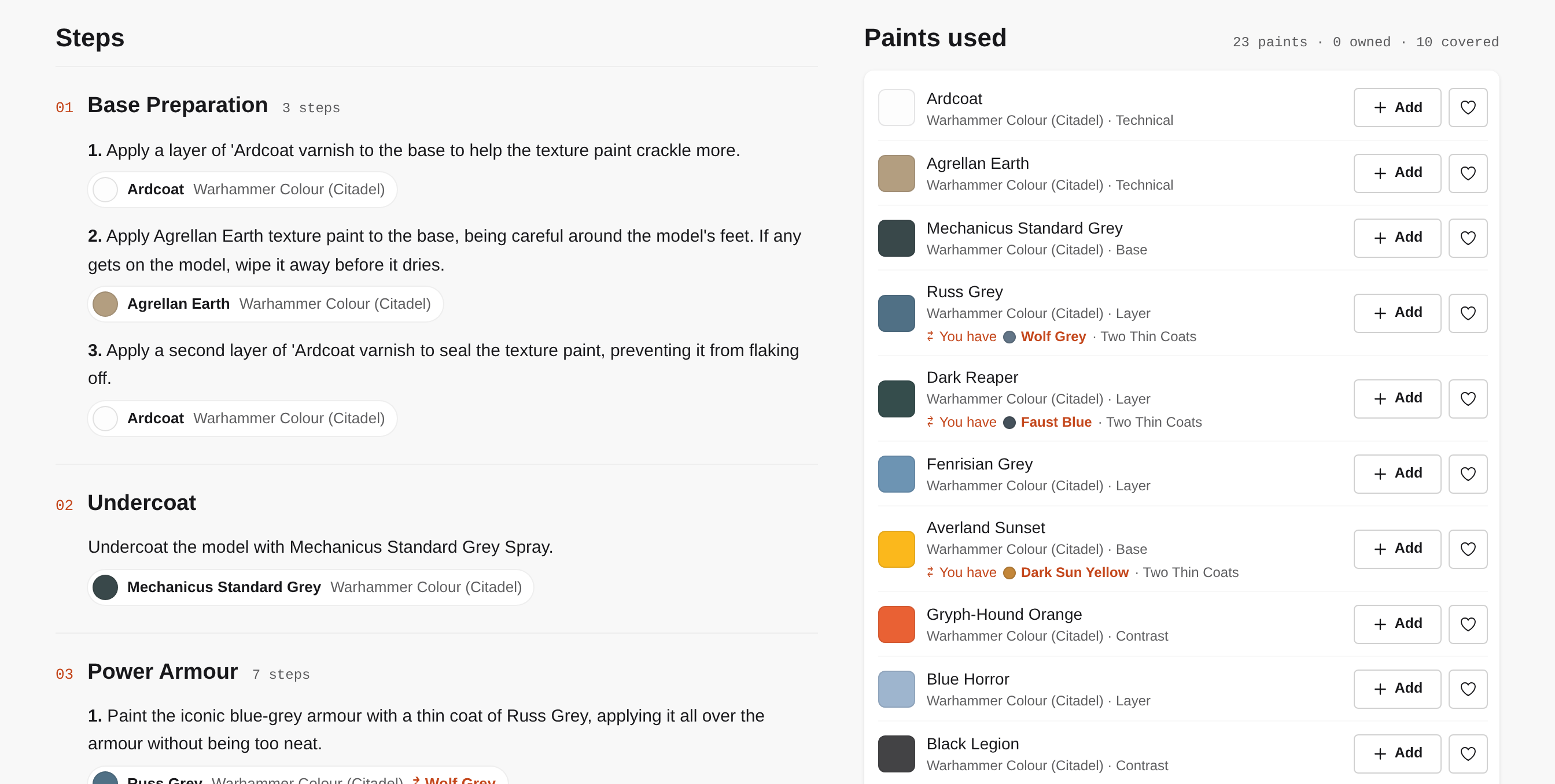
At the heart of Paint Weaver is a paint browser covering several popular ranges, including Warhammer Colour (formerly Citadel), Two Thin Coats and Vallejo. You can filter by brand and type, search by name, and open any paint to see its closest matches in the other ranges, each with a match percentage. The data behind the catalogue and matches comes from the manufacturers themselves, fan sites and other public sources.
Sign in and you can track your collection and wishlist. Choose a preferred brand and your collection lists it first, with paints that belong to a system, like Two Thin Coats' triads, grouped together. Wishlist paints come with quick links to search for them at UK retailers.
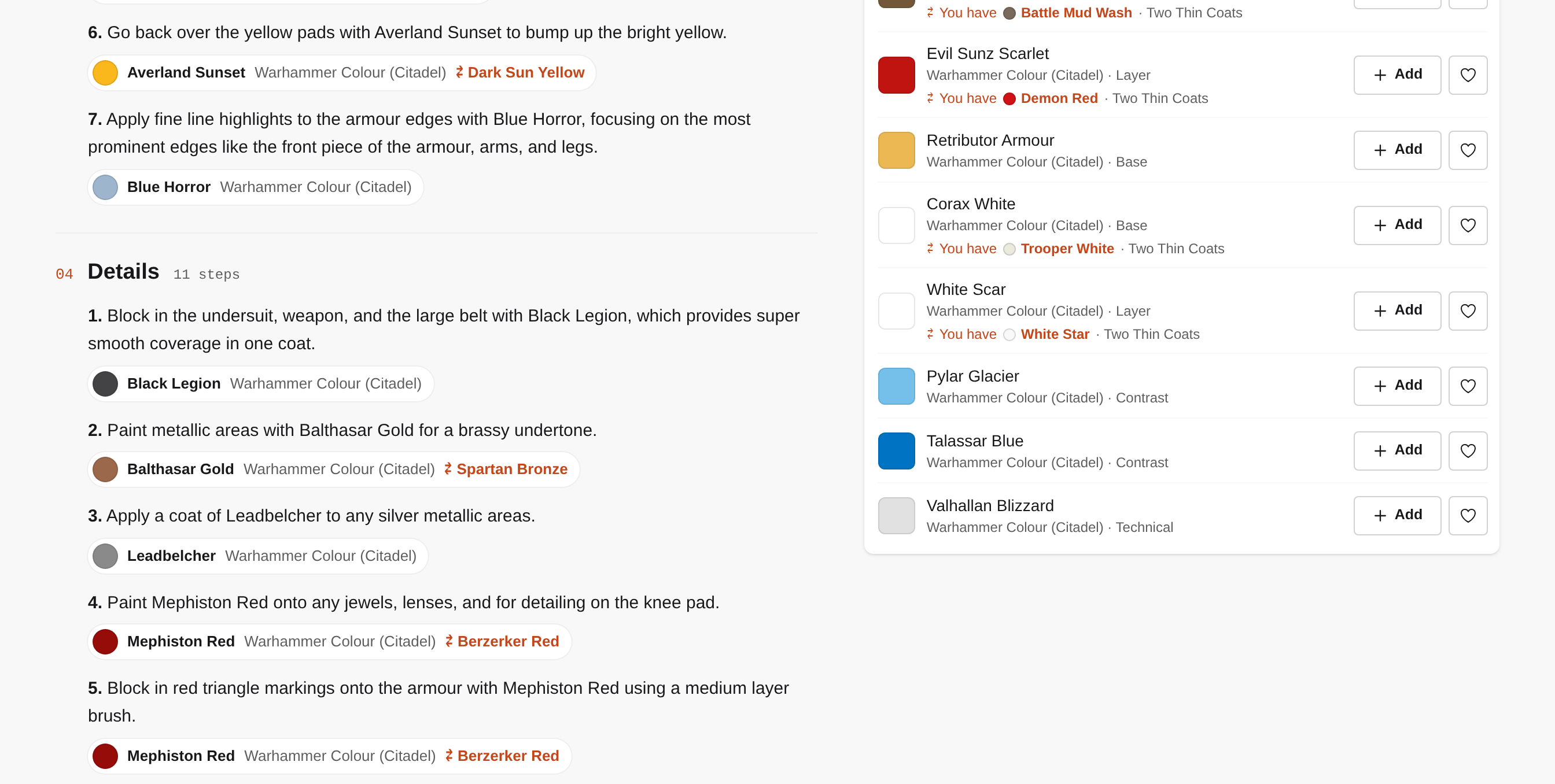
The part I'm most pleased with is the tutorials. Each recipe breaks the model into areas, with the steps in order and the exact paint for every step. They're grouped by game, faction and army, so finding a scheme for your Blood Angels or Astra Militarum takes a couple of clicks. For every paint in a recipe, it finds alternatives and highlights the ones already in your collection.
Why I built it
I started painting a couple of years ago, after my son, then four, insisted it would make a good Father's Day present. We often walk past our local Warhammer shop and stop to admire the diorama in the window, and he'd decided it was time I had a go.
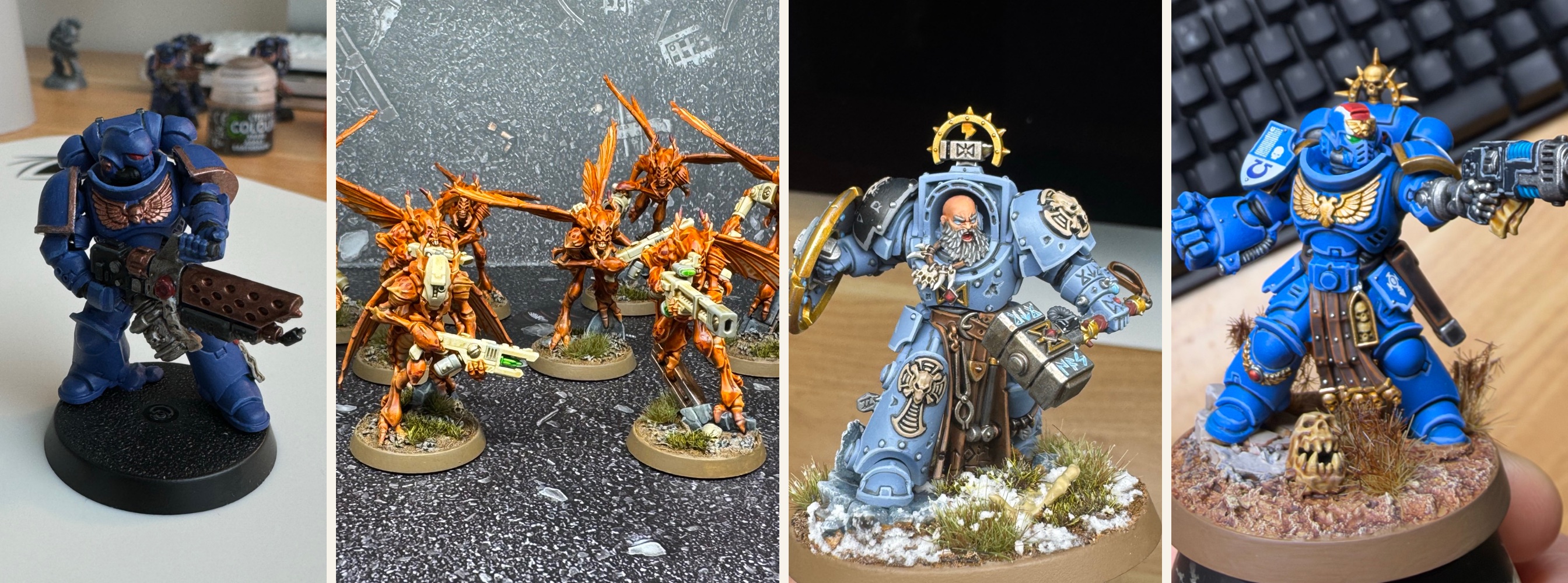
I was hooked, and these days I spend as much time painting as I do watching other people paint on YouTube, on channels like Squidmar, Duncan Rhodes, Ninjon and The Painting Coach. It's relaxing and inspiring, and I always learn something. But these painters are professionals who have been in the hobby for years, building up several paint ranges along the way, so the paints they reach for are rarely the ones on my desk.
My preferred paints come from Duncan Rhodes' Two Thin Coats range. I like the dropper bottles and the triad system, and most of its paints are a one-to-one match for Games Workshop's own Warhammer Colour range. Before I built Paint Weaver, I kept track of my paints in Notion and printed labels for every bottle showing its Warhammer Colour equivalent and the triad it belongs to.
I like following a tutorial's recipe step by step: someone else has made the colour choices, so I can focus on improving my technique and compare my result with theirs at the end. Following along used to mean having several tabs of the same video open at different points, jumping between them to check which paint came next. Now the whole recipe sits on one page.
How it works
Paint Weaver is a Django app, deployed on Railway, and I built it with Claude Code.
Rather than a JavaScript framework like React, it uses HTMX. The server sends plain HTML as it always has, and a few extra attributes on buttons and forms tell the browser which part of the page to swap out when something changes. Filter the paint list or add a paint to your collection and only that bit of the page updates, with no full reload. For a one-person project it keeps almost everything in one place, and there's far less code to look after.
HTMX also keeps pages light: the paints page comes to around 50KB in total, HTMX included, and loading the next page of results fetches only about 8KB of HTML. And because the server does the rendering, the site still works with JavaScript turned off.
The tutorials take a bit more work behind the scenes. When I add a tutorial, the site hands the video to Google's Gemini, which watches it and pulls out the recipe: which areas of the model to paint, in what order, and with which paints. For longer videos, it works from the transcript instead. Gemini is good at understanding what a painter is saying and showing, but it doesn't know which paints actually exist, so each name it returns is matched against the catalogue. That way every step links to a real paint you can look up, collect or swap for an alternative, and anything that can't be matched is flagged for me to check rather than guessed at.
What's next
That depends on whether anyone else paints the way I do and finds Paint Weaver useful. If they do, I'd like to add screenshots from the video to each recipe step, let people suggest and request tutorials from the site itself, and use AI to find better matches, both for paints with no obvious equivalent and for paint names that don't come through clearly from a video. I'd also like to make buying easier, with links straight to each paint's product page and live stock levels, possibly through retailers' affiliate programmes.
Paint Weaver is free to use. If you give it a try and have any feedback, or spot a paint match that looks off, drop me an email.